Where to Put a QR Code: 18 Placements Ranked by Scan Intent
Eighteen QR code placements ranked by what the person standing there actually wants, with realistic dwell time and minimum size for each.
A QR code placement isn't good or bad in the abstract. It's good or bad for the person standing in front of it, at the moment they're standing there, which is why the same code that performs well on a product box can fail completely on a billboard: the box holds someone's attention for several seconds of post-purchase curiosity, the billboard gives a driver less than one second and a windscreen between them and the code. Rank a placement by that intent and dwell time first, and the size, height, and design questions mostly answer themselves.
Six intents, and why the ranking follows them
Most placement advice sorts QR codes by surface: packaging codes here, event codes there, retail codes over there. That's a filing system, not a ranking. The more useful sort is by what the person standing at the placement already wants, because that's what decides how generous they'll be with their time and attention.
Conversion-ready placements catch someone who has already decided to act: a checkout counter, a point-of-sale standee, a restaurant table. They'll tolerate almost no friction, but they're also the easiest scans to earn, because the code is answering a question they're already asking.
Post-purchase curiosity placements catch someone who has already bought and now has a few unhurried seconds: packaging, a receipt, a warranty card. Dwell time is generous by QR standards, but the destination has to reward that patience or the placement wastes it.
Consideration placements catch someone still deciding: a magazine advertisement, a flyer, a shop window. The code isn't closing anything here; it's the bridge from interest to the next step, which means the CTA carries more weight than almost any other variable.
Support-seeking placements catch someone who already owns the product and has a problem: a manual, an equipment label, a service van. Dwell time is long because they need the answer, not because the placement is inherently engaging.
Ambient and passive placements catch whoever happens to be nearby with a moment to spare: a lobby poster, an elevator panel, a conference stage slide seen from the back row. These need the lowest expectations and, often, the largest code, since distance and inattention both work against them.
Lead-capture placements catch someone in a one-to-one exchange: an event badge, a business card, a trade show handout. The intent is relational rather than transactional, and the code is standing in for an introduction more than a call to action.
Eighteen placements, ranked by what the scanner wants
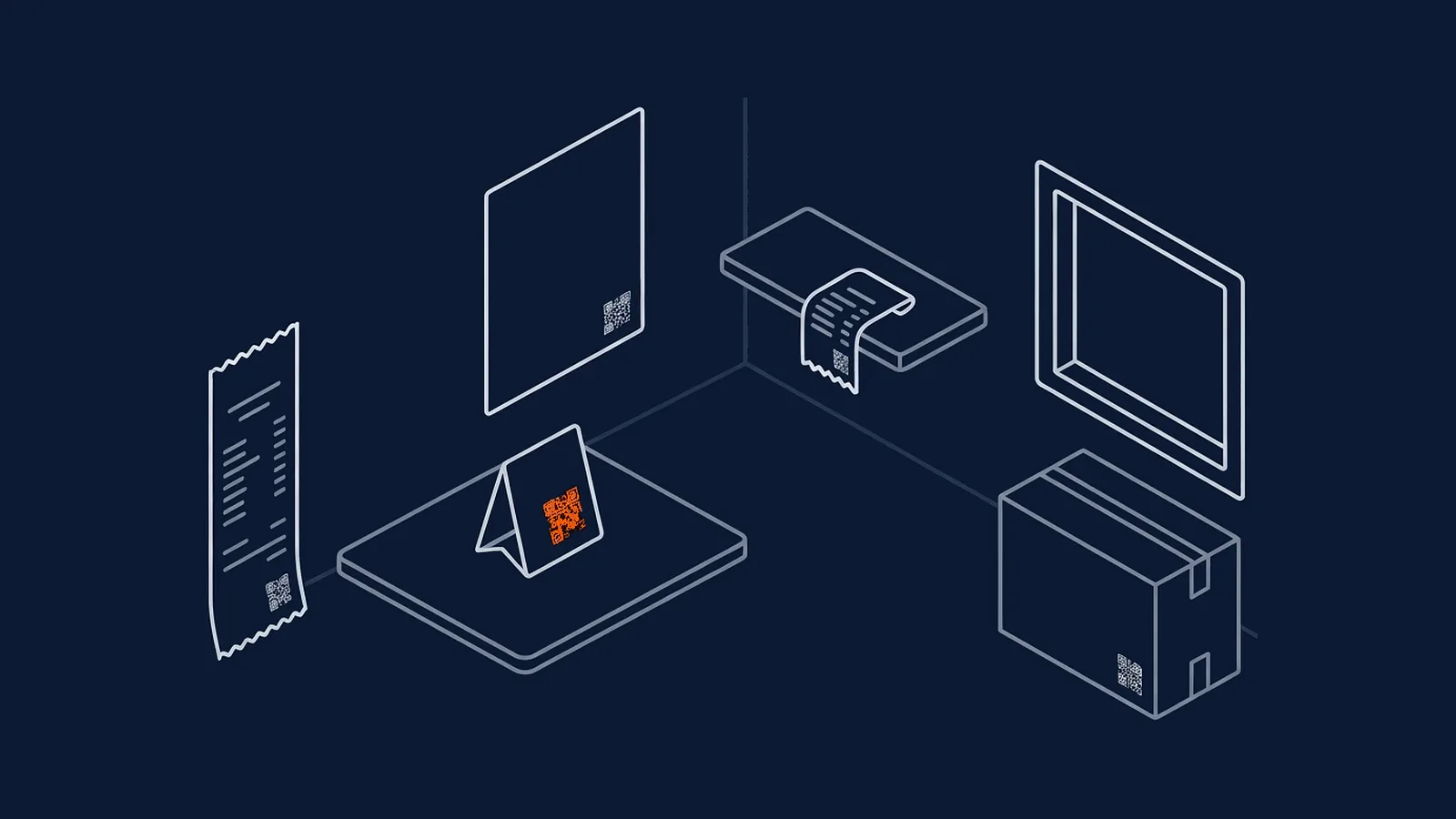
| Placement | Reader's intent | Realistic dwell time | Minimum size (10:1 rule) | What typically kills it |
|---|---|---|---|---|
| Product packaging | Post-purchase curiosity: they already bought it | Several seconds, unhurried | ~2 cm (scanned from ~20 cm) | Glare on plastic film, code hidden on a fold |
| Checkout counter / POS | Conversion-ready: money is already in hand | 2–5 seconds | ~3–4 cm (scanned from ~30–40 cm) | Placement below eye level, crowded next to other signage |
| Receipt | Post-purchase, at the moment of leaving | A few seconds, often later at home | ~1.5 cm (scanned from ~15 cm) | Thermal-print fading, tiny size on a narrow paper roll |
| Retail shelf-edge / shelf-talker | Actively browsing, comparing options | 3–8 seconds | ~5 cm (scanned from ~50 cm) | Buried among price tags and promotional clutter |
| Retail window, shop closed | Passer-by, otherwise unreachable | 5–15 seconds, standing on pavement | ~10 cm (scanned from ~1 m) | No CTA explaining why to scan a closed shop's window |
| Print magazine advertisement | Still deciding, reading at leisure | 5–20 seconds | ~3 cm (scanned from ~30 cm) | Code as an afterthought in the corner with no reason to scan |
| Direct mail or flyer | Considering, often at home | 5–15 seconds | ~3 cm (scanned from ~30 cm) | Discarded before the offer is read at all |
| Business card | Relationship-building, one to one | 5–10 seconds | ~1.5–2 cm (card size limits this) | Too small once error correction and a logo are added |
| Point-of-sale standee | Conversion-ready, standing at the counter | 3–8 seconds | ~10 cm (scanned from ~1 m) | Competing with staff conversation and other counter signage |
| Restaurant table tent or menu | Transactional, wants to order now | 10–30 seconds | ~3–4 cm (scanned from ~30–40 cm) | Sticky, worn laminate reducing contrast |
| Event badge | Identity and lead capture, brief | 2–5 seconds | ~3 cm (scanned from ~30 cm) | Badge holder glare, code facing the wrong way when worn |
| Event booth signage | Considering, mid-conversation | 5–15 seconds | ~10–20 cm (scanned from 1–2 m) | Booth lighting, code positioned behind the booth staff |
| Conference stage slide | Passive, one of hundreds of phones at once | Under 10 seconds, from the back row | 1 m or more (scanned from 10 m+) | Distance makes the required size impractical on a normal slide |
| Product manual or warranty card | Support-seeking, already own the product | 10–20 seconds | ~2 cm (scanned from ~20 cm) | Buried on a back page nobody reaches |
| Service van or equipment label | Support-seeking, on-site | 5–15 seconds | ~5–10 cm (scanned from 50 cm–1 m) | Weathering, fading in direct sun over time |
| Elevator or lobby poster | Ambient, mildly captive audience | 5–10 seconds | ~10 cm (scanned from ~1 m) | No reason given to scan beyond curiosity |
| Trade show handout or lanyard card | Lead capture, one to one | 5–10 seconds | ~2–3 cm (scanned from 20–30 cm) | Handed out in bulk with no follow-up reason to use it |
| Vehicle signage, parked | Passer-by, only while stationary | 5–15 seconds, only when parked | ~10 cm (scanned from ~1 m) | Any distance once the vehicle is moving, see below |
The size column follows one rule throughout: a QR code needs to be roughly a tenth of the distance it will be scanned from to decode reliably, a ratio published consistently across QR code services. It's a rule of thumb, not a guarantee — contrast, printing quality, and how much the code encodes all shift it slightly — but it's a far better starting point than "make it as big as looks right."
The eye-level rule
Every placement above assumes the code sits roughly where the intended scanner's eyes already are: about 140 to 170 cm from the ground for a standing adult audience, lower at a seated counter or table, lower still on a menu or table tent where the audience is already seated. A code placed above or below that band doesn't fail because it's badly designed. It fails because nobody looks there. This is the single most common reason a placement with a technically correct size still underperforms: the code was sized for the distance, but positioned for the designer's eye line rather than the scanner's, often because it was approved on a screen rather than checked in the actual physical spot it was going to occupy.
Match the destination to the dwell time
Size and position get most of the attention in placement advice, but the destination behind the code needs to respect the same intent that chose the placement. A conference stage slide or an event badge earns two to five seconds of attention; sending that scan to a multi-section landing page wastes almost all of it; a single action, saving a contact, joining a list, opening one specific page, is what that dwell time can actually support. A product manual or a support-seeking placement earns ten to twenty unhurried seconds from someone who already needs the answer; a heavier page, even a short FAQ, is appropriate there because the attention has already been earned by the problem itself, not by the code.
Getting this backwards is a common, avoidable failure: a rich, multi-step destination behind a low-dwell placement, or a bare single link behind a placement that earned real attention and could have supported more. Match the weight of what's on the other side of the scan to the seconds the placement realistically buys.
Where not to put a QR code, regardless of size
Some placements fail no matter how well the code is designed, because the fundamental requirement of scanning, a moment where both the person and the code hold still, isn't available.
Highway billboards and any signage meant to be read at speed fail this test directly: a driver has a fraction of a second and a legal obligation to keep their eyes on the road, not a device viewfinder. Transit advertising inside a moving vehicle has the same problem from the opposite side: the code holds still, the scanner doesn't, and a train pulling into the next station gives even less grace than a slow-moving bus. Tunnel and underpass advertising adds poor lighting and unreliable mobile signal on top of the speed problem, so even a stationary viewer may fail to get a redirect to load. And anywhere a phone genuinely cannot be held steady safely, a security queue, a crowded escalator, a construction site, is a placement to avoid rather than a design challenge to solve, no matter how large or well-lit the code is made. The QR code pre-print checklist is worth running before any placement decision, precisely to catch this kind of thing before print, not after.
One code, one placement
The single habit that determines whether any of this data means anything afterwards: print a different code for every placement, even when the destination is identical. A code on packaging and the same code on a shelf-talker will scan into one merged number with no way to separate them, which means neither placement can be judged on its own results. Where the code sends people matters, but which physical spot earned that scan matters just as much, and only a dedicated code per placement preserves that information.
What this means for your next campaign
Start from the person, not the surface. Ask what someone standing at a given spot actually wants at that moment, which of the six intents above they're closest to, size the code to the realistic scanning distance using the 10:1 rule, place it at that person's eye level, match the destination's weight to the dwell time on offer, and give it its own code so the results can be attributed afterwards. None of this requires a bigger budget or a more elaborate design; it mostly requires walking the actual physical placement before it goes to print, rather than approving it on a screen.
Packaging, events, and retail floors each deserve their own placement logic beyond this overview, but the ranking principle is the same everywhere: intent first, size and position second, and never one code doing the job of five.
If your placement involves printing at any real volume, especially product packaging, get the size and destination right before the print run starts, not after.
Straight answers
Is there one best place to put a QR code?
No. The best placement depends entirely on the intent of the person standing there: post-purchase curiosity on packaging is a different opportunity from a conversion-ready buyer at a checkout counter. Rank your own options by intent and dwell time using the table above, rather than copying a placement that worked for someone else's product.
How high should a QR code be placed for it to get scanned?
Roughly eye level for whoever is meant to scan it, generally between 140 and 170 cm from the ground for a standing adult audience, lower for a seated or counter-height context. A code that requires someone to crouch, stretch, or crane their neck loses scans regardless of how well-designed it is.
Can the same QR code be used in more than one placement?
It can, but the scan data becomes useless for comparison the moment you do. One code in five places produces one merged number with no way to tell which placement earned it. Use a separate code per placement whenever you might want to know which one is working.
What's the minimum size a QR code should be printed at?
It depends on scanning distance, not a fixed number: the widely used rule of thumb is that the code should be at least a tenth of the distance it will be scanned from. A code scanned from 30 cm away needs to be at least 3 cm across; one scanned from a metre away needs to be at least 10 cm.
Are moving surfaces like vehicles or transit ads a bad place for a QR code?
Generally, yes. Scanning requires the person and the code to both hold still for a moment, which a moving vehicle or a train pulling out of a station doesn't allow. A parked delivery van outside a building is fine; the same van doing forty kilometres an hour on a highway isn't.
-
The 10:1 scanning-distance-to-size ratio and worked size examples by surface (self-reported by a QR code vendor, widely repeated across the industry)
https://qrplanet.com/help/article/what-is-the-minimum-size-of-a-qr-code