Shelf, Window, Counter and Receipt: QR Placement for Physical Retail
Four in-store QR zones, each with its own intent, sizing and failure mode, plus the closed-shop-window placement most retailers overlook entirely.
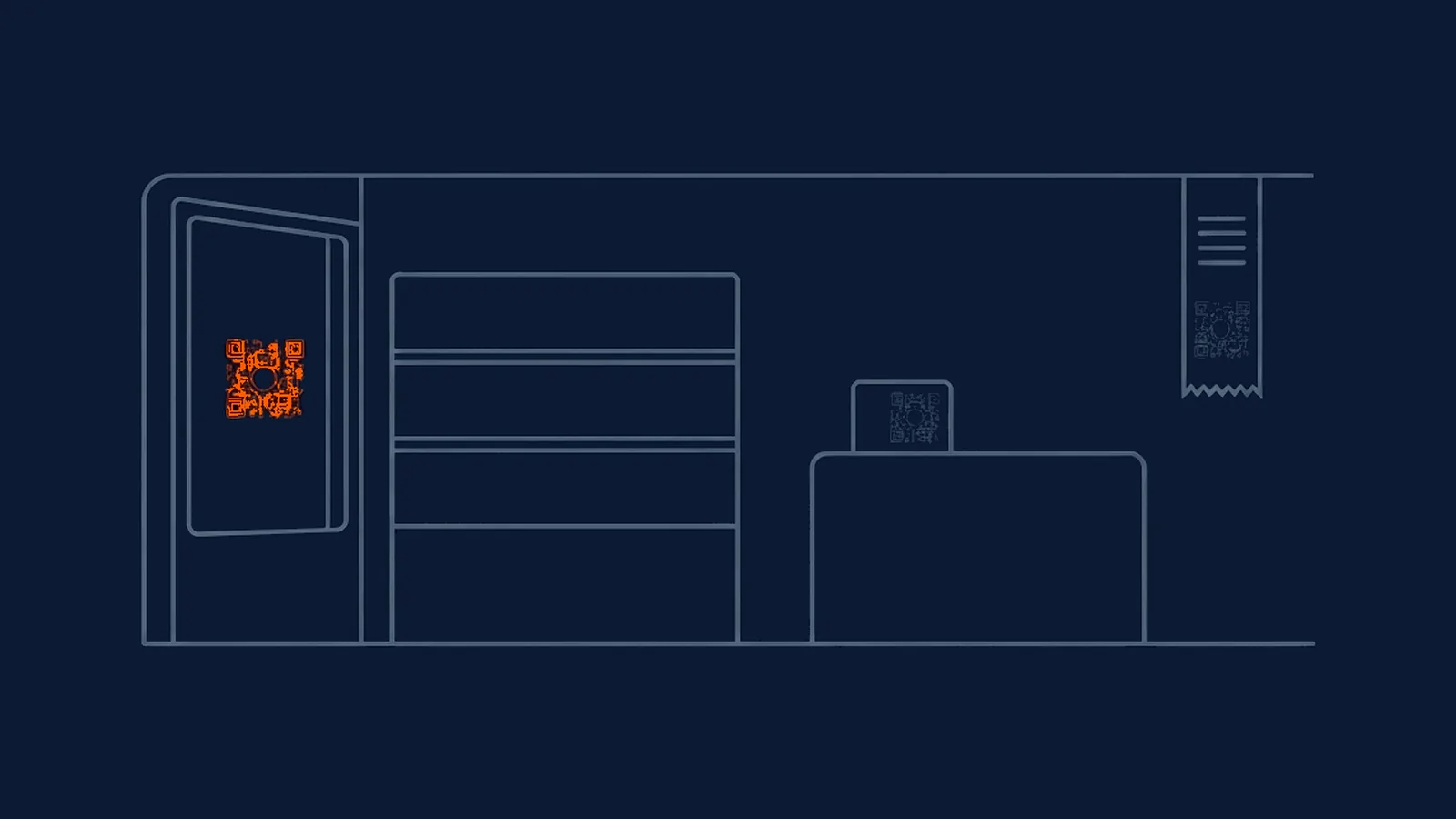
A retail floor packs several distinct scanning moments into one building, often within a few metres of each other, and treating them all the same way wastes the one thing physical retail offers that most other placements don't: a shopper already standing in the specific spot a business wants to understand. The same underlying principle that governs QR placement generally, size and word the code to the reader's actual intent at that spot, applies here with unusual force, because a single retail floor can put four different intents within a ten-second walk of each other.
Four zones, four jobs
| Zone | Shopper's intent | What the code should do | Minimum size | What kills it |
|---|---|---|---|---|
| Shelf-edge | Browsing, comparing options | Answer one specific comparison question: sizing, reviews, ingredients | ~5 cm (scanned from ~50 cm) | Buried among price tags and promotional clutter |
| Shop window (closed hours) | Passer-by, otherwise unreachable | Capture interest with a single, low-friction next step | ~10 cm (scanned from ~1 m) | Glare and reflection off the glass |
| Checkout counter | Conversion-ready, money already in hand | Support the transaction itself: loyalty signup, receipt digitisation | ~3-4 cm (scanned from ~30-40 cm) | Competing with staff conversation and other counter signage |
| Receipt | Just completed a purchase, brief attention | A single post-purchase action with a short, honest validity window | ~1.5 cm (scanned from ~15 cm) | Thermal fading within weeks of printing |
Window glare is a physical problem, not a design one
A code on a shop window fights a problem no amount of colour or logo work solves: glass reflects light unpredictably, throwing back the street, the sky, or a passing car's headlights directly into whatever a scanning camera is trying to read. A code that scans perfectly during a calm indoor test can fail consistently at the specific time of day the window catches direct sun, or fail specifically at night under streetlighting, and neither failure mode shows up unless the test happens at that actual time, on the actual glass, not during a single convenient setup session.
Positioning the code away from the most reflective section of the glass, angling a printed insert slightly rather than mounting it perfectly flat against the pane, and testing at more than one time of day are the practical mitigations. None of them eliminate the problem entirely on a highly reflective storefront, which is worth knowing before promising a client flawless scan rates on a placement fighting physics as much as design.
A second, less obvious mitigation is contrast strength specifically calibrated for this zone rather than borrowed from a general print standard. Because a window code is fighting reflected light on top of whatever ambient contrast the code itself provides, pushing well beyond the bare minimum contrast ratio that would suffice on flat matte paper gives the code more margin to survive a reflection washing out part of the frame. A code that passes a contrast check indoors under stable lighting has not been tested against the specific conditions a window placement actually faces.
The closed-shop-window opportunity almost nobody uses
Here's the placement most retailers overlook entirely: a code in the shop window works exactly the same whether the shop is open or closed, and a closed storefront, evenings, early mornings, a day off, still has foot traffic passing directly in front of it with nothing else competing for attention. Most retail marketing effort concentrates on the hours staff are present and the till is open, which leaves the closed hours, often close to half of any given day, entirely unaddressed by anything beyond the store's own signage. A passer-by with a moment to spare and a closed door in front of them is a genuinely captive audience in a way an open, busy shop rarely offers, and almost no retail window is designed with that specific, recurring audience in mind. A code offering something usable outside trading hours, an online order option, a loyalty signup, even just directions and hours confirmation, turns dead storefront time into the one placement actively working while the rest of the shop is switched off.
Shelf-edge sizing and the clutter problem
A shelf-edge code is scanned at a shorter, more deliberate distance than a window code, typically someone already holding or standing directly in front of a product, which allows a smaller size than a window placement needs. The more common failure here isn't sizing; it's competing for attention against price tags, promotional stickers, and shelf-talkers all fighting for the same few centimetres of shelf-edge real estate. A code that's technically well-sized and well-printed can still underperform badly simply because it's the fourth thing competing for a glance that lasts under a second. Giving the code its own clear space, rather than squeezing it into whatever gap remains after every other piece of shelf signage has claimed its spot, matters as much as the size specification itself.
Comparison shopping also means the code is competing against a shopper's own phone doing the same job, since a shopper standing at a shelf can just as easily open a search app and look up the same product information a QR code would provide. The code needs to win on speed and specificity, answering the exact comparison question, a size chart, a review summary, an ingredient list, faster and more precisely than a general search would, rather than sending the shopper to a generic product page they could have reached without scanning anything at all.
Why receipt codes have a short usable life
Thermal printing, the standard for most retail receipts, works through heat-sensitive coating rather than ink, and that coating is chemically unstable by design: it darkens under heat to print, and it continues to react, more slowly, to ambient heat, light, and simple friction from being folded into a wallet or bag. A receipt code that scans perfectly on the day of purchase can be visibly faded within a few weeks, well before a typical printed flyer or package would show comparable wear. This isn't a print-quality failure to fix with a better printer; it's the nature of the substrate, and it should shape how a receipt code is used rather than be treated as an occasional defect. Any offer tied to a receipt code should carry a short, clearly stated validity window that matches the medium's real lifespan, rather than implying a customer can act on it whenever they happen to rediscover the receipt.
Storage conditions make this worse in ways worth anticipating rather than discovering through complaints. A receipt kept in a wallet against body heat, or left on a car dashboard in direct sun, degrades considerably faster than one filed flat in a drawer at room temperature, so the same receipt code can remain perfectly legible for one customer and be unreadable within days for another, entirely down to how each one happened to store it. Designing the offer's validity window around the worst plausible storage case, not the best one, avoids a steady trickle of customers arriving with a receipt that scanned fine a week ago and doesn't now.
Getting real placement precision, since geolocation can't give it to you
A retailer wanting to know which specific zone, which shelf, which window, actually drove a scan cannot get that answer from a QR platform's own location reporting. IP-based geolocation resolves to a city at best, nowhere near the resolution needed to tell a shelf-edge scan from a checkout-counter one in the same building. The only reliable way to get that precision is structural: a distinct code for every zone worth distinguishing, so the code itself, not an inferred location, carries the placement information. Paired with a consistent UTM tagging convention applied at the zone level, this is what actually lets a retailer compare shelf-edge performance against window performance against counter performance, something no amount of analytics sophistication can substitute for if every zone shares one code.
What this means for your next campaign
Treat each of the four zones as a separate design brief, not a single QR strategy copied across the store: size and word the shelf-edge code for a comparison moment, the window code for glare resistance and a closed-hours audience, the counter code for a conversion already in motion, and the receipt code for a short, explicitly time-boxed action. Give the closed-shop window the attention it rarely gets, since it's working hours the rest of the store isn't. And give every zone its own code, since that's the only way placement-level precision actually exists, whatever a location report elsewhere might imply. Where the store also sells packaged goods carrying their own on-pack code, the same placement discipline extends to the product itself, not just the fixtures around it.
Straight answers
What's the best place for a QR code in a retail store?
There isn't one best place; there are four distinct zones, shelf-edge, window, counter, and receipt, each catching a shopper at a different point in their visit with a different intent. A shelf-edge code should support browsing and comparison; a closed-shop window code should catch a passer-by outside opening hours; a counter code should support a conversion-ready buyer; a receipt code should support a post-purchase action. Matching the code's job to the zone matters more than picking a single favourite spot.
Why do QR codes on store windows often fail to scan?
Glare and reflection, most commonly. Glass reflects ambient light and whatever's happening on the street behind the person trying to scan, which can wash out contrast a scanner depends on. Positioning the code away from direct light sources, angling it slightly if the display allows, and testing at the actual time of day it will realistically be scanned, not just once during setup, catches this before it becomes a recurring, hard-to-diagnose complaint.
How long does a QR code printed on a thermal receipt stay scannable?
Not long, measured in weeks rather than months, because thermal printing works by heat-sensitive coating rather than ink, and that coating fades with exposure to light, heat, and simple handling. A receipt code is best treated as valid for a short, defined window right after purchase, not as something a customer can reliably scan from a drawer months later, and any offer tied to it should say so plainly rather than implying it stays usable indefinitely.
Can QR codes tell me exactly where in my store people are scanning from?
Only if you give each zone its own code. A shared code across the whole store merges every scan into one number with no way to tell shelf-edge activity from counter activity. IP-based location data, which most QR platforms report, resolves at best to a city, nowhere near precise enough to distinguish one aisle from another, so zone-level attribution has to come from the code itself, not from analytics inferred after the fact.