QR Codes on Packaging: Size, Quiet Zone and Print Rules That Prevent a Reprint
The print-production rules that keep a packaging QR code scannable: minimum size, the quiet zone, barcode placement, contrast and substrate limits.
A packaging QR code fails for print reasons far more often than it fails for design reasons, and the two get confused constantly. A code that looks perfect on a screen proof can be unreadable off the actual carton, because the rules that matter here, module size, quiet zone, contrast, substrate, are print specifications, not aesthetic choices, and none of them show up as a problem until the run is already committed.
Minimum size, in real units
Size for a QR code is really a question about its smallest unit, the module, since the overall footprint is just that module size multiplied by the code's grid dimension plus its mandatory margin. GS1's own general specification, the same standard retail packaging barcodes are built to, permits a module width, called the X-dimension, from 0.396 mm up to 0.990 mm for codes scanned at point of sale. At the narrow end of that range, a typical 29-module code including its required four-module quiet zone works out to roughly 14.6 mm across; at the wide end, the same code grows to roughly 36.6 mm.
That range is a specification limit, not a design target. The narrowest permitted module width assumes excellent print resolution and a forgiving substrate; on textured stock, uncoated card, or a printing process with any ink spread, the safe working size sits meaningfully above the legal minimum. Treat 0.396 mm as the number a compliance checklist accepts, not the number a real production run should aim for.
The data encoded also drives this more than most designers expect. A longer destination URL pushes a QR code into a higher version, meaning more modules packed into the same footprint, which shrinks each individual module at a fixed print size. This is one more argument for a short, dynamic redirect URL rather than a long static one carrying a full destination path: a shorter payload holds the code at a lower version, keeps modules larger at the same overall size, and gives every other rule in this article more room to work with before print tolerances start eating into reliability.
The quiet zone: the rule cropping always breaks
Every QR code needs a clear, unmarked margin around all four sides, and this isn't a stylistic recommendation: ISO/IEC 18004, the international standard defining the QR code symbol itself, requires a minimum quiet zone of four modules of plain background on every side. Skip or crop it, and the failure that follows isn't a decoding failure at all, it's a detection failure: a scanner locates a QR code by hunting for the distinctive finder-pattern squares in three of its corners, and that hunt only works when those patterns stand out clearly against their surroundings. Text, a logo, a border, or packaging artwork sitting directly against the code corrupts that boundary before the scanner ever gets to reading the data inside it.
This is also why raising a code's error correction level doesn't rescue a cropped quiet zone. Error correction repairs damage to data that has already been detected and is being decoded; it does nothing for a code the scanner never located as a QR code in the first place. A scratched or partially obscured code often still scans, because error correction was built for exactly that. A code with an invaded quiet zone frequently produces nothing at all, and increasing the error correction level, then wondering why the scan rate hasn't improved, is one of the most common and most avoidable print-production mistakes.
The quiet zone also has to survive whatever the artwork does around it, not just what it looks like in isolation. A "scan me" label pushed close to save layout space, a decorative border treated as part of the design, or a background pattern that reads as empty space on a monitor but registers as visual noise to a camera are all common ways a technically correct quiet zone gets compromised without anyone intending to crop it. The margin has to be genuinely free of printed content, not merely free of anything that looks busy to a human eye scanning the layout on a screen.
Testing before the run, not after
None of the rules above substitute for testing an actual printed proof, because a digital mockup and a physical print pull from the same production process can behave differently once texture, ink absorption, and real-world lighting are involved. A workable pre-print check: measure the module size on the physical proof itself, not the digital file; confirm the quiet zone is genuinely clear on all four sides against the nearest printed element; and scan the proof with more than one device, deliberately including an older phone, since a modern flagship camera can read a code a cheaper or older scanner rejects outright. Doing this on the actual substrate the run will use, under the lighting the product will realistically sit under, catches problems a screen proof never reveals, and it costs minutes rather than an entire print run.
Staying close to the existing barcode
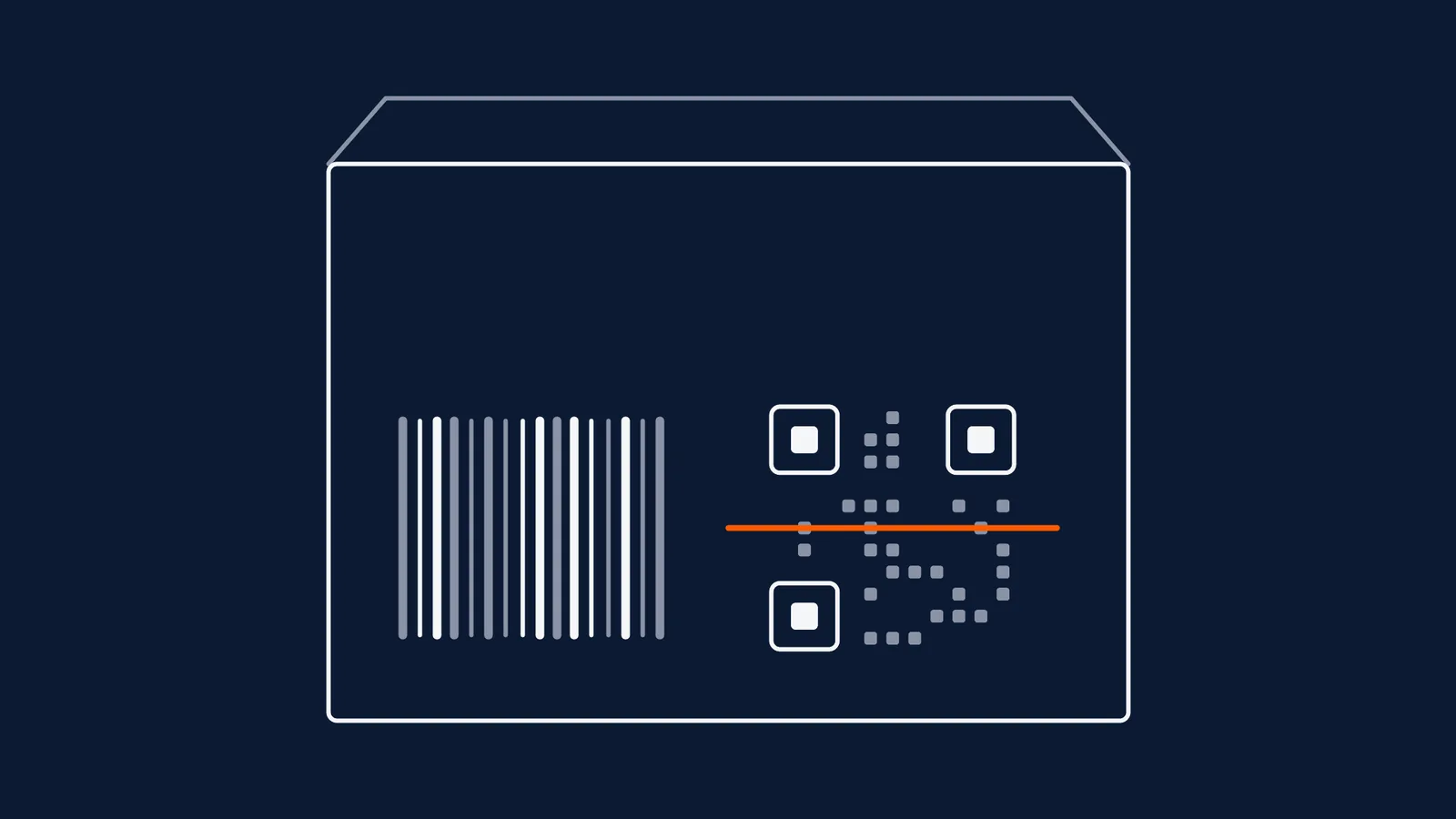
Most packaging carrying a QR code during any transition period also still carries the traditional linear barcode, and the two need to coexist without confusing a checkout scanner. GS1's own placement guidance puts the entire QR code, quiet zone included, within a 50 mm radius of the centre of the linear barcode, specifically so point-of-sale systems recognise both as belonging to the same product rather than treating a nearby QR code as an unrelated symbol to double-scan or ignore. This proximity rule exists in service of a real throughput number: GS1 cites a target scanning rate of 40 to 70 items per minute at a staffed checkout, a pace that depends on the scanner reading the right code the first time, every time.
Size, quiet zone and placement, together
| Factor | Rule | What happens if you ignore it |
|---|---|---|
| Module size (X-dimension) | 0.396mm-0.990mm range for point-of-sale codes; stay well above the narrow end on anything but ideal substrate | Modules blur together or ink spread closes gaps between them, and the code stops resolving |
| Quiet zone | At least four modules of plain, uninterrupted margin on all four sides | The scanner fails to detect the code at all, regardless of how clean the data inside it is |
| Distance from linear barcode | Within a 50 mm radius of the linear barcode's centre | Point-of-sale systems may misread which code belongs to the product, slowing or confusing checkout |
| Contrast | Strong, consistent contrast between modules and background, dark on light is safest | Low contrast makes detection unreliable, especially under variable retail lighting |
Substrates that work against you
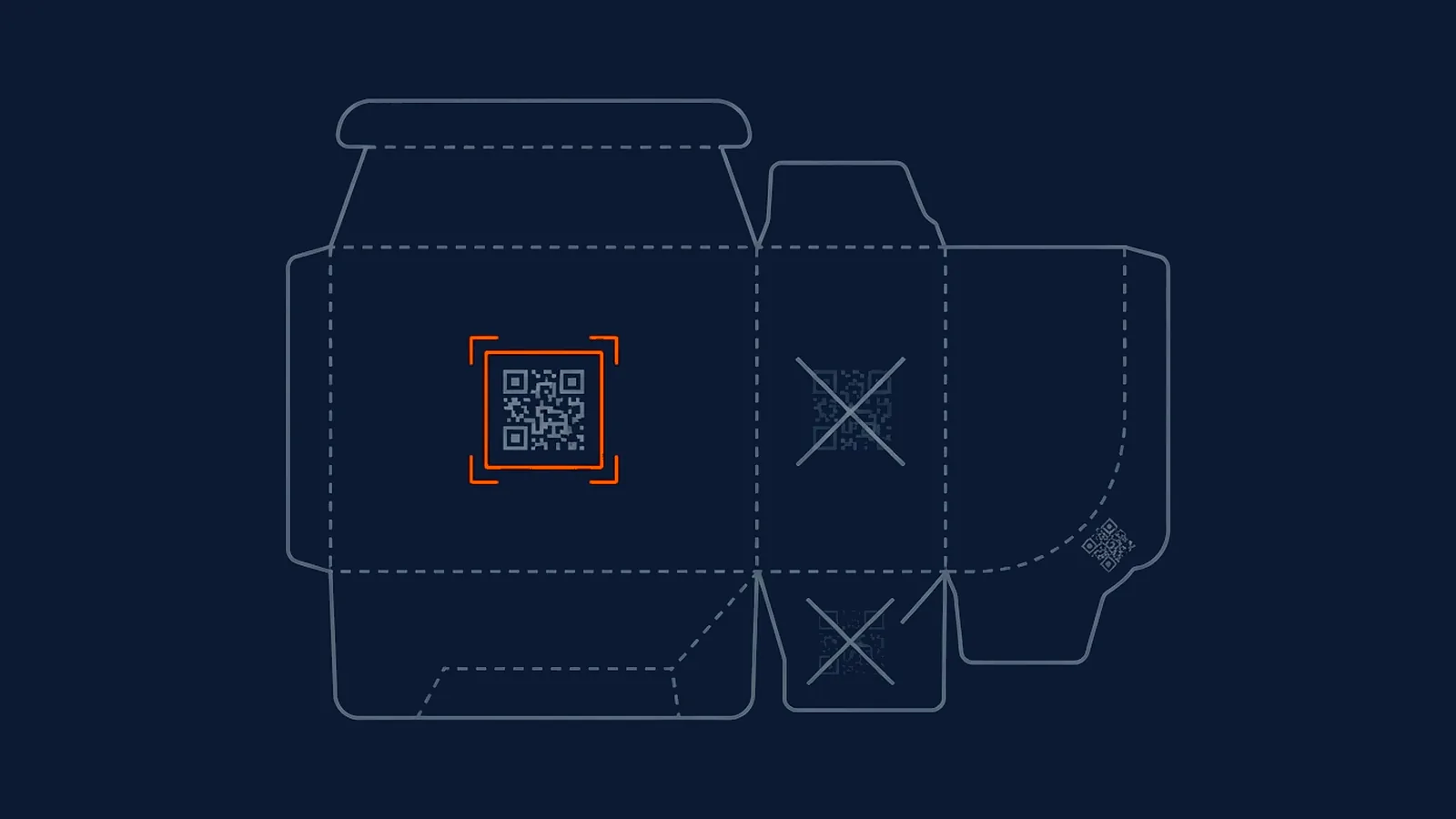
Packaging introduces material problems a code destined for a plain paper flyer never faces. Folds, seams, and any point where the printed surface isn't flat distort the code's geometry exactly where a scanner's camera needs a clean, undistorted grid to read from; a QR code should never be allowed to cross a fold line or a carton seam if there's any way to avoid it. Curved surfaces, bottles, cans, tubs, compress the code's apparent proportions at the edges of the curve, which erodes the effective quiet zone even when it was printed correctly flat; tighter curve radii need a wider physical margin than the bare four-module minimum to compensate. Glare from metallic foil or a glossy varnish reflects light unpredictably back at a scanning camera, and a code that reads perfectly under one angle or light source can fail completely under another, which is exactly the kind of failure that never shows up in an office proofing session and only appears once the product is on a real shelf under real lighting.
Where a metallic or glossy stock genuinely can't be avoided for brand reasons, a few adjustments help offset the risk rather than eliminate it entirely: a matte varnish patch printed behind the code specifically, contrast stronger than the bare minimum, and a quiet zone wider than four modules to absorb the unpredictability glare introduces. None of this is a substitute for testing the actual printed proof, on the actual substrate, under more than one lighting condition, before a full run is committed.
Why packaging is the strongest case for dynamic
Every other placement in this archive can make the argument for dynamic on convenience grounds. Packaging makes it on cost grounds, and the cost is structural. Packaging artwork typically runs through flexographic or gravure printing, processes built around physical plates with real lead times and minimum order quantities baked into the economics; a caught-early mistake means adjusting a file, and a caught-late mistake means the plates are already made, the substrate is already ordered, and the print run is already scheduled against a production line's capacity. A wrong static URL discovered once packaging is already printed, or worse, already on a retail shelf, isn't a quick correction. It's the entire run, potentially tens of thousands of units, becoming unusable stock or an expensive, embarrassing recall.
A dynamic QR code separates the printed pattern from the destination entirely, so the same category of mistake, a wrong URL, a page that needs updating for a new promotion, a destination that needs correcting for a compliance issue, gets fixed without touching a single printed unit. This is the argument packaging makes better than any other placement in this archive: the printed pattern is expensive and slow to change; the destination behind it doesn't have to be.
What this means for your next campaign
Treat packaging QR code specifications as print-production requirements, not marketing preferences, and get them signed off before artwork locks, not during a proofing crisis after plates are already ordered. Hold module size well above the legal minimum on anything but ideal, flat, matte substrate. Never let the quiet zone be the casualty of a tight layout. Keep the code within GS1's 50 mm proximity guidance of any existing linear barcode. And treat the destination as the one thing worth making changeable, since a code's visual design and its physical placement are both far easier to get right the first time than a printed destination is to fix after the fact. Where a code does end up failing once it's already in market, diagnosing why a printed code stopped working is the next place to look.
Straight answers
What is the minimum size for a QR code on product packaging?
It depends on the module count and the scanning distance, but as a concrete anchor, GS1's own general specification permits a module width as narrow as 0.396 mm for point-of-sale scanning, which works out to roughly 14.6 mm across for a typical 29-module code including its quiet zone. Anything smaller than the module range your printer can hold accurately in registration risks becoming unscannable the moment ink spread or substrate texture is added.
How close should a QR code be to the existing barcode on packaging?
GS1's own placement guidance puts the whole QR code, quiet zone included, within a 50 mm radius of the centre of the linear barcode during any period where both appear on the same pack. This keeps point-of-sale systems recognising both codes as the same product and keeps checkout scanning at its intended speed, rather than causing double-scans or missed reads.
Why is packaging considered the strongest argument for a dynamic QR code?
Because the cost of a mistake compounds through the print chain before anyone notices. Packaging artwork typically has a long lead time and a minimum order quantity tied to plate-based printing, so a wrong static URL found after the run starts isn't a quick fix; it's the whole run, sometimes tens of thousands of units, becoming unusable stock. A dynamic code separates the printed pattern from the destination, so the same mistake gets caught without touching a printed unit.
Can a QR code be printed on foil, metallic or varnished packaging?
It can, but these surfaces work against reliable scanning by reflecting light unpredictably, and a code that scans fine under one light source can fail under another. Where a metallic or glossy stock can't be avoided, a matte varnish patch behind the code, stronger contrast, and a wider quiet zone than the bare requirement all help offset the glare. Testing the actual proof under more than one lighting condition matters more here than on plain matte stock.
-
GS1's placement rule: the QR code and its quiet zone should sit within a 50 mm radius of the centre of the linear barcode, and the throughput target of 40-70 items per minute at point of sale
https://www.gs1uk.org/knowledge-hub/qr-codes-powered-by-gs1/where-should-the-qr-code-go-on-retail-packaging -
GS1's permitted module (X-dimension) range for point-of-sale QR codes, 0.396mm-0.990mm, and the resulting minimum overall size calculation
https://www.gs1uk.org/knowledge-hub/qr-codes-powered-by-gs1/how-big-should-a-qr-code-powered-by-gs1-be -
The ISO/IEC 18004 four-module quiet zone rule, why a missing quiet zone fails at detection rather than decoding, and how fabric, metallic and curved surfaces erode the effective margin
https://qrcodekit.com/guides/quiet-zone-requirements-for-qr-codes/