UPI QR Code vs Marketing QR Code: Why 'Static' and 'Dynamic' Mean Different Things
A UPI payment QR and a marketing QR look alike but do different jobs. How they differ, what 'static' and 'dynamic' mean for each, and how to print both.
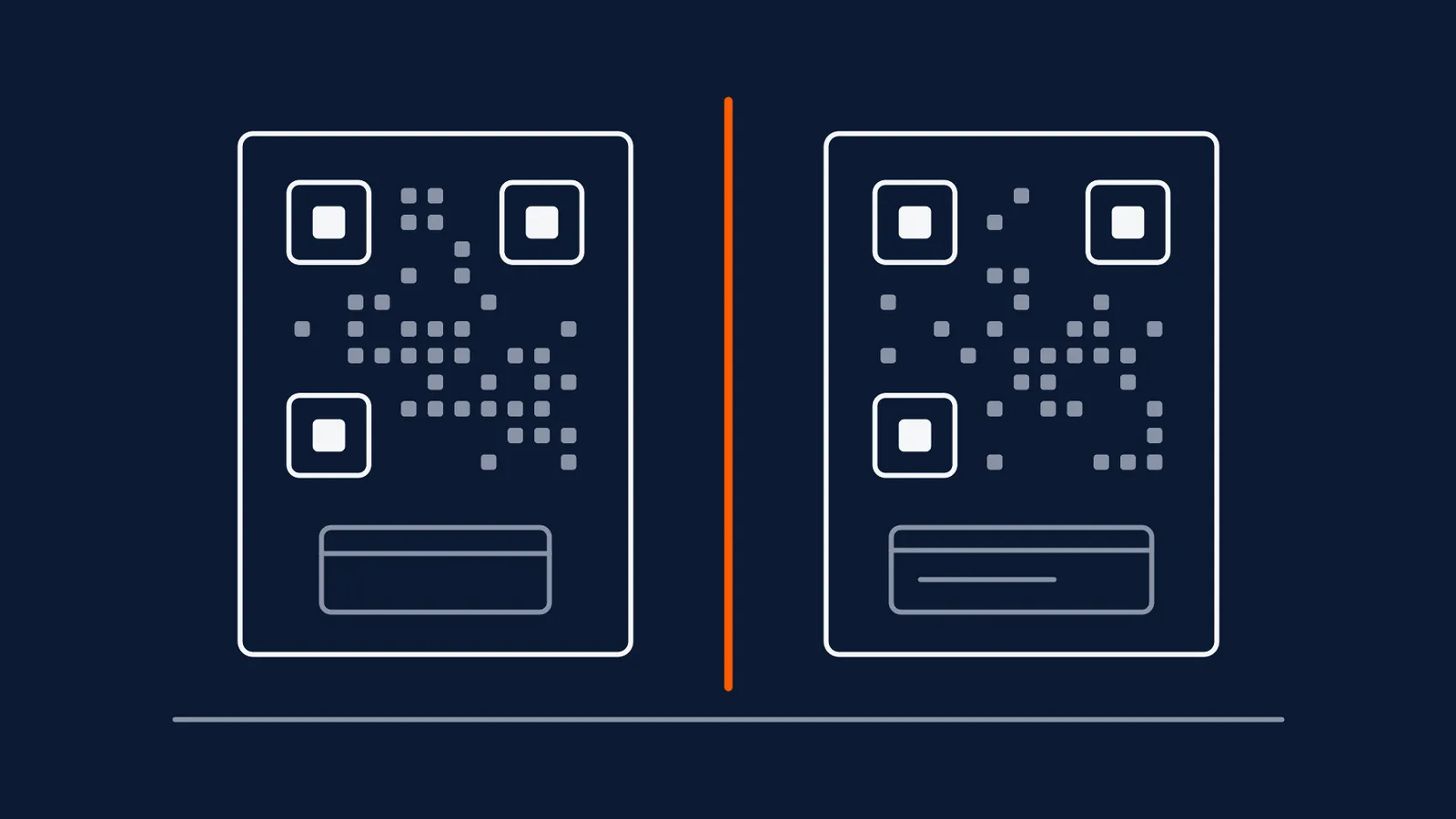
Walk into almost any Indian shop and there is a QR code at the counter. Most customers know exactly what it is for. The trouble starts when a business wants a second QR code, one that sends people to a menu, a Google review page or a WhatsApp chat, and treats it as 'just another QR code'. The two look alike and they are built for entirely different jobs, with different vocabulary, different risks and different data.
This post sets the two side by side so a shop owner, a marketer and an accounts person can all be talking about the same thing.
Two codes, two jobs
A UPI payment code carries your payee identity in a form a UPI app understands. When a customer scans it, the app opens a payment screen showing who they are about to pay, and the customer confirms and authorises. As one consumer-finance explainer describes it, the code holds the merchant's UPI ID in encoded form and does not store the payer's phone number or account details. A marketing code carries a web address, and scanning it opens a page in the phone's browser.
| UPI payment QR | Marketing QR | |
|---|---|---|
| What it carries | A payee identity in a UPI-readable format | A web address (or contact, WiFi or text payload) |
| What scanning does | Opens a payment screen in a UPI app | Opens a page in a browser |
| Who issues it | Your bank, a UPI app or a payment provider | Whoever runs your QR platform, or you, for a static code |
| What it measures | Payments that completed | Scans, and what the page does afterwards |
| Success looks like | Money received against the right order | A reader who does the next thing you asked |
| Main risk | Wrong payee, wrong amount, a lookalike sticker | Dead destination, tracking gaps, a lookalike sticker |
One row deserves a second look: both share the sticker risk. A fraudster does not need to hack anything to divert a payment or a visit. A printed code placed over a genuine one is enough, which is why the physical re-inspection habit matters for the code that takes money more than for any other.
The word that causes the most confusion
Say 'dynamic QR' to a payments person and a marketer in the same room and each pictures something different.
In UPI, a static code holds only your fixed UPI ID, so the same printed code serves every payment and the customer types in the amount. A dynamic code is generated for a single transaction and carries the exact amount and an order reference, which means the customer only confirms. According to one payment-gateway vendor's explainer, dynamic codes of this kind are typically valid only for a short window, and generating them generally needs a payment gateway integration rather than a standard UPI app. Treat those specifics as vendor-reported and check them with your own provider.
In marketing, a static code has its destination written into the pattern itself, so it can never be changed. A dynamic code points to a short redirect you control, so the destination can be edited later without reprinting anything. The full comparison is in the static vs dynamic guide.
| In UPI | In marketing | |
|---|---|---|
| Static | Fixed UPI ID, reused for every payment, customer enters the amount | Destination baked into the pattern, never changes |
| Dynamic | New code per payment, amount and reference included | Permanent short link, destination editable after printing |
| What 'dynamic' buys you | Exact amount and easy reconciliation | The ability to fix or change the destination |
| Cost of dynamic | Typically a gateway integration and possibly fees | A platform subscription |
The practical consequence is easy to miss. If your accounts team asks for 'a dynamic QR' because reconciliation is painful, they want per-payment codes from a payment provider. A marketing platform cannot give them that, and buying a marketing subscription will not fix a reconciliation problem.
Three mistakes shops make
Using the payment code as the marketing code. It is tempting to say 'scan to pay' and 'scan to know more' with one square. Customers cannot make sense of it, and the code can only ever open a payment screen. It also tells you nothing about how many people were curious but did not pay.
Building a marketing code out of a payment link. A code whose payload is a link in the UPI format is meant to open a payment app. Scanned on a phone without one, or by someone who simply wanted information, it does nothing useful. If the goal is a page, the destination should be a web page.
Printing the two without a clear boundary. At a busy counter, a customer in a hurry will scan whichever code is nearest. Both codes should be labelled in plain words ('Scan to pay', 'Scan for the menu'), kept visibly apart, and different in framing so they cannot be confused at a glance. A one-line instruction beats a vague square every time, and here the instruction is also a safety measure.
Measuring each one honestly
The data from the two codes lives in different places and answers different questions.
- Payment data comes from your bank or payment provider: which payments arrived, for what amount, and (for dynamic codes) against which order. It tells you nothing about how many people looked at the code and walked away.
- Marketing scan data comes from the QR platform: total and unique scans, when they happened, and the device and rough location. It tells you nothing about whether anyone paid.
If you want to know whether a counter display of offers lifts sales, you are joining two datasets by hand: scans per day from the marketing code against payments per day from the payment records. That works for a rough read, and the attribution limits still apply. No setting will make a payment appear in a scan report, and the post is better off saying so than hinting at a combined dashboard that does not exist.
Printing both safely
- Separate them physically with clear space and different framing, and label each in plain language.
- Keep the payment code from the issuer. Do not recreate it in a design tool or a marketing platform.
- Test the marketing code on a real phone and confirm it opens a mobile-friendly page.
- Check both for stickers or overlays on a schedule, because a counter is a place where strangers have access.
- Tell staff what each code is for, so a customer who asks 'which one do I scan' gets the same answer every time.
- Check the payee name before every payment. If you ever pay at someone else's counter, read the name your app shows against the business in front of you, and cancel if it does not match.
What this means for your next print job
Decide first what each code is for, then pick the type. A code that takes money comes from your bank or payment provider and is judged by whether the right payment arrives. A code that informs is judged by what a scan leads to, and should be as simple as possible to change if the destination ever needs to move. If you are printing a marketing code to sit near a payment code, run it through the pre-print checklist and make the labels as plain as you can. For an Indian business weighing a platform for the marketing side, the procurement checklist covers INR billing, GST invoices and who is accountable if something goes wrong.
Straight answers
Can I use my UPI payment QR code as a marketing QR code?
Not usefully. A payment code opens a payment screen in a UPI app with your payee details on it, so a customer who scans it is being asked to pay, not to read about you. It also gives you no scan data beyond the payments that actually complete. If you want people to see a menu, a review page or an offer, that needs its own code pointing at its own page, printed and labelled separately from the one that takes money.
Does a dynamic marketing QR code work the same way as a dynamic UPI QR code?
No, and this is the most common confusion. A dynamic UPI code is generated fresh for one payment and carries that payment's amount and reference. A dynamic marketing code is a permanent short link whose destination you can change later without reprinting. The word means 'changeable' in one world and 'created per transaction' in the other, so check which meaning a vendor or a colleague is using before agreeing to anything.
Should I put a marketing QR code next to my payment QR code at the counter?
You can, as long as the two are unmistakably different. Give each its own label in plain words, leave clear space between them, and keep them visually distinct in size and framing. The risk is a customer scanning the wrong one at the moment of paying, or someone sticking a lookalike over either of them, so the layout should make the right one obvious at a glance.
How do I know a payment QR code at a shop hasn't been tampered with?
Before authorising any payment, read the payee name your UPI app shows and check it matches the business in front of you. If it doesn't, cancel. For your own counter, check the printed code periodically for stickers or overlays, because a replacement placed over a genuine code is a physical attack that no software setting can prevent.
-
Vendor blog: how a UPI QR works, payee-name check
https://jupiter.money/blog/upi-qr-codes-how-they-work-safety-payment-types/ -
Payment-gateway vendor blog: static vs dynamic UPI QR
https://payu.in/blog/?p=15687